Snapshots
A snapshot is a picture of one chart. Save it, copy it, or, if you set up a host, turn it into a link to share.
Take a snapshot
Click the camera in the chart header (Take a snapshot). The Chart snapshot menu opens.
| Item | Shortcut (macOS) | Needs a host |
|---|---|---|
| Download image | ⌥⌘S | No |
| Copy image | ⇧⌘S | No |
| Copy link | ⌥S | Yes |
| Open in new tab | none | Yes |
| Tweet image | none | Yes |
| Configure Snapshots… | Opens Settings ▸ Snapshots |
On Windows and Linux use Ctrl+Alt+S, Ctrl+Shift+S and Alt+S. The shortcuts act on the focused chart and do not fire while you are typing in a text field.
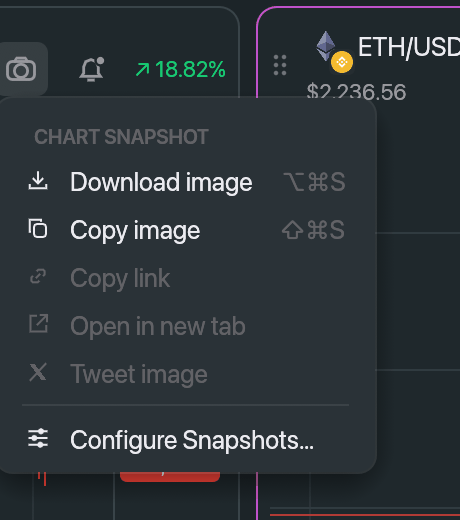
The hosted rows say Set a host until you configure one. Download image and Copy image always work, even offline.
What is in the picture
The image is the plot as drawn: candles, indicators, scripts, drawings, alert lines and the watermark. It leaves out the crosshair, hover and selection marks, pane buttons, the header and any menus. Orders, executions and positions are included only if you switch that on in settings.
Images are at most 8192 pixels on a side. The CoinMarketCap Latest gauges and portfolio cards cannot be snapshotted.
On macOS, Download image opens a save panel. On Linux it uses the system file chooser. On Windows the file goes straight to your Downloads folder.
Share a link
DegenView hosts nothing itself. To get links you need your own snapshot host: a secure (https://) address that accepts a PNG upload and replies with a link.
- Open Settings ▸ Snapshots.
- Enter the Snapshot host, and an Access token (optional) if the host needs one.
- Take a snapshot and choose Copy link. The first upload to each host asks for your approval. Under Approved hosts, Forget takes it back.
Tweet image opens X's composer with the link only. The picture is not attached.
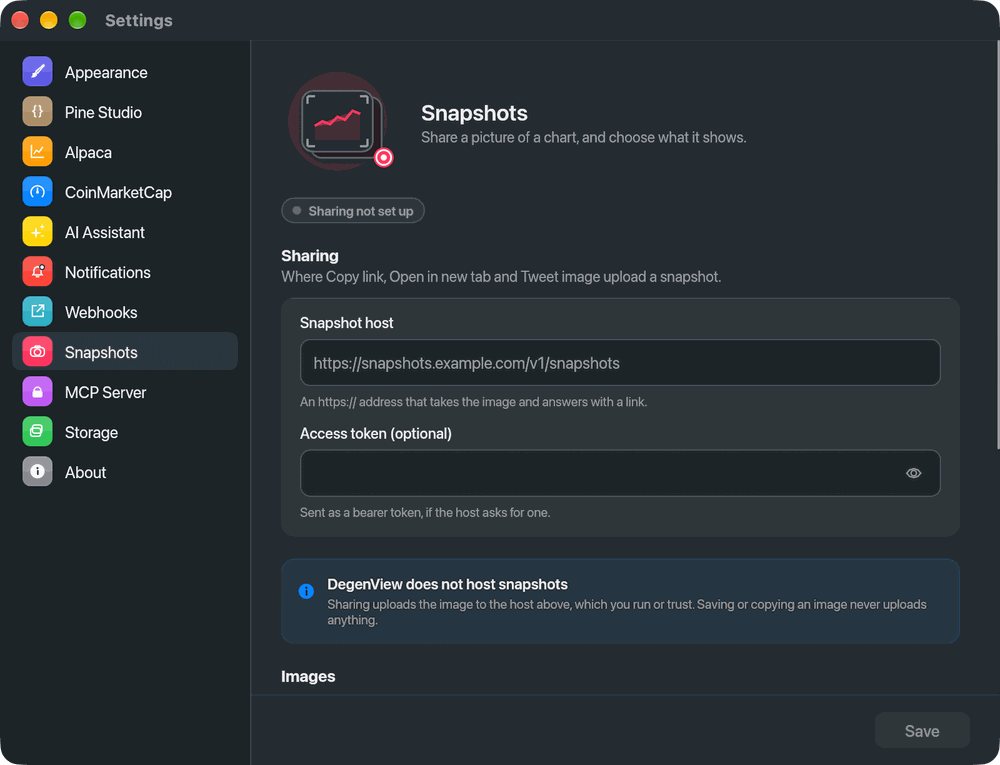
Settings
Also in Settings ▸ Snapshots:
- Include orders, executions and positions in snapshots: off by default.
- Resolution: Standard (1×) or High resolution (2×), which is the default.
Newer builds
The Configure Snapshots… row is new. Older builds reach the same page through Settings ▸ Snapshots.